

• Appointments
  • Contact Us
  • Become A Member
  • Business
That's Younity.
Digital Banking Login
Forgot Username? Forgot Password? Unlock Account Not signed up? Enroll Now
  • Personal
    • Checking Accounts
    • Teen Debit Account
    • Savings Accounts
      • Money Market Accounts
      • Health Savings Accounts
      • Share Certificates
      • IRA
    • Mobile & Online Banking
    • Branches, ATMs & Appointments
    • VISA® Debit
    • VISA® Credit
    • Insurance
    • HERO Financial Counseling
  • Loans & Credit
    • Auto, Motorcycle and RV Loans
      • Auto Buyer’s Guide
      • Shop Enterprise Car Sales
    • Personal Loans
      • Personal Loans and Line of Credit
      • Credit Builder Loan
    • Smart Option Student Loan®
    • Rates
    • VISA® Credit
    • Pay Loans Online
    • Credit & Financial Review
  • Home & Mortgage
    • Home Equity Loans
    • Mortgage Team
    • Mortgage Guide & Apply
    • Rates
    • First-Time Homebuyer 101
    • Pay Your Mortgage
  • Financial Planning
    • Financial Planning Team
    • Guided Wealth Portfolios
    • Financial Planning Resources
    • Financial Planning Account Access
  • About Us
    • Younity
    • Eligibility
    • ATM & Branch Locations
    • Careers & Internships
    • Annual Reports & Board Election
    • Community Involvement
      • Scholarships
      • Golf Tournament
      • Charitable Foundation
      • Calendar of Events
    • Mystery Shoppers
    • Contact Us
  • Learn
    • Blog
    • Diamond Youniversity
    • Zogo Financial Education App
  • Tools & Resources
    • Calculators
    • Account Management Tools
    • FAQs
    • Transfer Funds
    • Financial Safety & Security
That's Younity.
Digital Banking Login
Forgot Username? Forgot Password? Unlock Account Not signed up? Enroll Now
  • Personal
    • Checking Accounts
    • Teen Debit Account
    • Savings Accounts
      • Money Market Accounts
      • Health Savings Accounts
      • Share Certificates
      • IRA
    • Mobile & Online Banking
    • Branches, ATMs & Appointments
    • VISA® Debit
    • VISA® Credit
    • Insurance
    • HERO Financial Counseling
  • Loans & Credit
    • Auto, Motorcycle and RV Loans
      • Auto Buyer’s Guide
      • Shop Enterprise Car Sales
    • Personal Loans
      • Personal Loans and Line of Credit
      • Credit Builder Loan
    • Smart Option Student Loan®
    • Rates
    • VISA® Credit
    • Pay Loans Online
    • Credit & Financial Review
  • Home & Mortgage
    • Home Equity Loans
    • Mortgage Team
    • Mortgage Guide & Apply
    • Rates
    • First-Time Homebuyer 101
    • Pay Your Mortgage
  • Financial Planning
    • Financial Planning Team
    • Guided Wealth Portfolios
    • Financial Planning Resources
    • Financial Planning Account Access
  • About Us
    • Younity
    • Eligibility
    • ATM & Branch Locations
    • Careers & Internships
    • Annual Reports & Board Election
    • Community Involvement
      • Scholarships
      • Golf Tournament
      • Charitable Foundation
      • Calendar of Events
    • Mystery Shoppers
    • Contact Us
  • Learn
    • Blog
    • Diamond Youniversity
    • Zogo Financial Education App
  • Tools & Resources
    • Calculators
    • Account Management Tools
    • FAQs
    • Transfer Funds
    • Financial Safety & Security
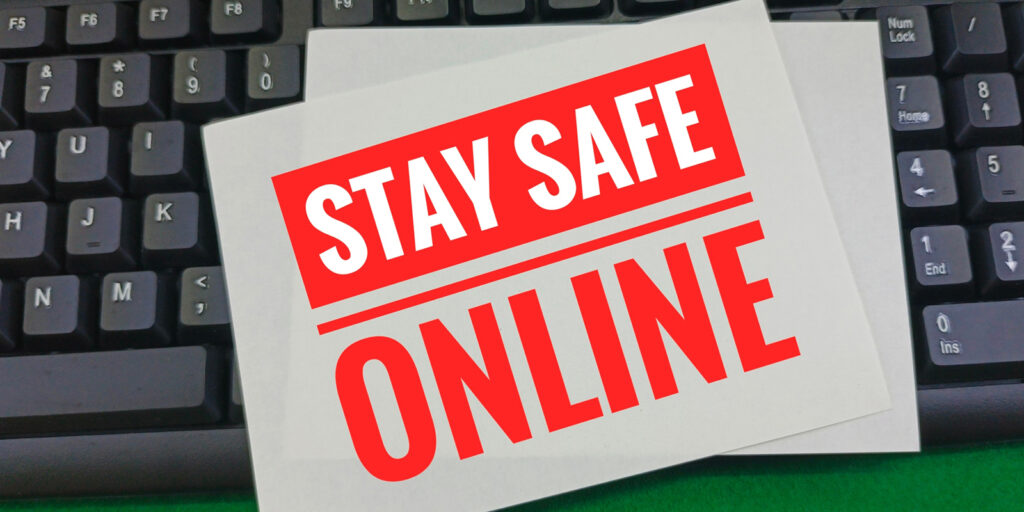
A black computer keyboard a piece of paper that has "Stay Safe Online" in red text on it.

Five Cyber Tips Everyone Can Use

Index

  • Red Flags of a Compromised Account
  • Alert Any Accounts If You're Compromised
  • Protect Your Passwords and Change Them Regularly
  • Use 2FA and Update Preferences
  • Limit What You Share Online

The transition to living life through our devices has become very real for scores of people and businesses. Unfortunately, adapting to online life also gives bad actor’s a plethora of targets to exploit. There’s currently an historic rate of cybercrime thanks the increase in targets and coronavirus-themed lures that grab our attention. That being said, every user has the power to do more than cross fingers and hope for the best. There are proactive steps to take when you suspect an account may be compromised, including ways to help keep it from happening to begin with.

Red Flags of a Compromised Account

Look for irregularities in any accounts as a sign of compromise. Receiving alerts from businesses, banks, social media, and other accounts that login to your accounts were attempted is a huge red flag. It doesn’t necessarily mean there’s been a compromise, but it lets you know that others have tried. Taking immediate action on any suspicious activity, no matter how insignificant it may seem, should always be Step One.

Immediately change account passwords, especially those showing activity you didn’t authorize. Best to freeze accounts where finances and other important data are kept, when possible; you can always unlock them later.

Regularly check credit reports for irregular activity and don’t hesitate to freeze them from further use. TransUnion, Experian, and Equifax no longer charge to freeze and unfreeze your accounts, so don’t hesitate to do so if needed.

Diamond Credit Union also offers free credit reviews to members. Schedule yours to make sure everything looks as it should.

Alert Any Accounts If You’re Compromised

If you suspect a financial account has been compromised, alert ALL of the institutions that deal with your finances. These should include credit unions, banks, credit card companies, credit bureaus, Google, Apple, Amazon, PayPal, Venmo, and other accounts where your financial data is stored or from where it’s accessed. Alerting the involved companies can also serve as a heads-up to them that a larger hack may be in progress and may prevent others from being victimized.

Protect Your Passwords and Change Them Regularly

Protecting your digital footprint starts with savvy and strong password use. Studies show compromised passwords are responsible for 81% of hacking-related breaches. All passwords should be long and include upper- and lower-case letters, numbers, and special characters. Change them regularly and consider using a password manager if you can’t remember them all. Also, look for accounts and apps you haven’t used in a long time and delete them to reduce password exposure and hacking opportunities.

Some of the survey statistics on poor password use include:

  • 65% of people reuse passwords across multiple or all accounts
  • The average person reuses the same password up to fourteen times
  • 91% say they understand the risks of password reuse across multiple accounts, but 59% admit they do it anyway

Use 2FA and Update Preferences

Two-factor authentication (2FA) or multi-factor authentication (MFA) should always be used when available. They add layers of login protection that verify it’s you who’s signing into your account and not a cybercriminal. Update preferences used for your 2FA, especially if you use security questions as part of authentication. The answers to these questions can often be found on your social media and other accounts, and if they are, be assured hackers will find them. Always update 2FA immediately if account compromise is suspected.

Limit What You Share Online

Your PII (personally identifiable information) should remain with you and not broadcasted on social media and other sites. PII includes things like your address, where you work, schools attended, LinkedIn profile and info about family and friends are cobbled together by hackers to create an identity profile that helps them enter your accounts. Hijacked PII is also used for socially engineered and spear-phishing email attacks. These methods use your PII for email phishing and targets those you know, including co-workers, family, and friends. The emails use your identity as bait for the recipients who blindly trust the email and its contents because they believe you are the sender.

To stay up-to-date on the latest scams and security threats, check out more of our fraud blogs.

Index

  • Red Flags of a Compromised Account
  • Alert Any Accounts If You're Compromised
  • Protect Your Passwords and Change Them Regularly
  • Use 2FA and Update Preferences
  • Limit What You Share Online

Notice

You are leaving Diamond Credit Union website. Clicking proceed will take you to a website that Diamond may not be affiliated with and may not represent the views of the credit union.

That's Younity.
  • About Us
  • ATM & Branches Locations
  • FAQs
  • Contact Us
  • Card Emergencies
Disclaimer for being federally insured through NCUA.
A logo for equal housing opportunity.

Equal Housing Opportunity.

Your savings federally insured to at least $250,000 and backed by the full faith and credit of the United States Government by the National Credit Union Association, a US Government Agency.

Local Phone Number: 610-326-5490
Toll Free Phone Number: 800-593-1000
Routing Number: 231385154
  • Third Party Notice
  • Privacy Policy
  • Sitemap
  • Browser Compatibility